
What You Are Really Paying For?
Table of Contents
- Introduction: Why WordPress Maintenance is Critical
- What WordPress Maintenance Actually Includes
- The Role of Hosting and Infrastructure
- Maintenance Tiers Explained: Finding Your Fit
- Global Data Compliance: NDPR, POPIA & GDPR
- What is NOT Included in Maintenance
- Real-World Risk Scenarios
- Why Cheap Maintenance Services Fail
- How to Choose the Right Plan – Decision Framework
- Conclusion: Maintenance as a Business Investment
- FAQ: Frequently Asked Questions
1. Introduction: Why WordPress Maintenance is Critical for Modern Business Websites
In today’s hyper-connected digital economy, a website is no longer just a digital brochure; it is the central nervous system of your business operations. Whether you are running a growing eCommerce store in Lagos, an enterprise service agency in Johannesburg, or a scaling startup in New York, your WordPress website requires continuous, proactive care to remain secure, fast, and compliant.
Many business owners view website maintenance as an optional expense until they experience a catastrophic failure: a hacked database, a crashed server during a major sales event, or a compliance penalty. The reality is that WordPress, powering over 40% of the global web, is a dynamic ecosystem. Core software, themes, and plugins are constantly updated to patch vulnerabilities and improve functionality. Neglecting these updates leaves your digital storefront exposed to automated botnets and malicious actors.
Professional WordPress maintenance plans transform your website from a potential liability into a reliable, high-performing asset. But what exactly are you paying for when you subscribe to a maintenance service? This guide pulls back the curtain on WordPress maintenance, explaining the critical behind-the-scenes work that keeps your business online, secure, and thriving across global markets including Nigeria, South Africa, and the United States.
What is WordPress maintenance?
WordPress maintenance is the ongoing technical management of a WordPress website, including software updates, security scanning, performance optimization, database cleanup, backup management, and uptime monitoring. It ensures your site remains secure, fast, and available 24/7.
2. What WordPress Maintenance Actually Includes
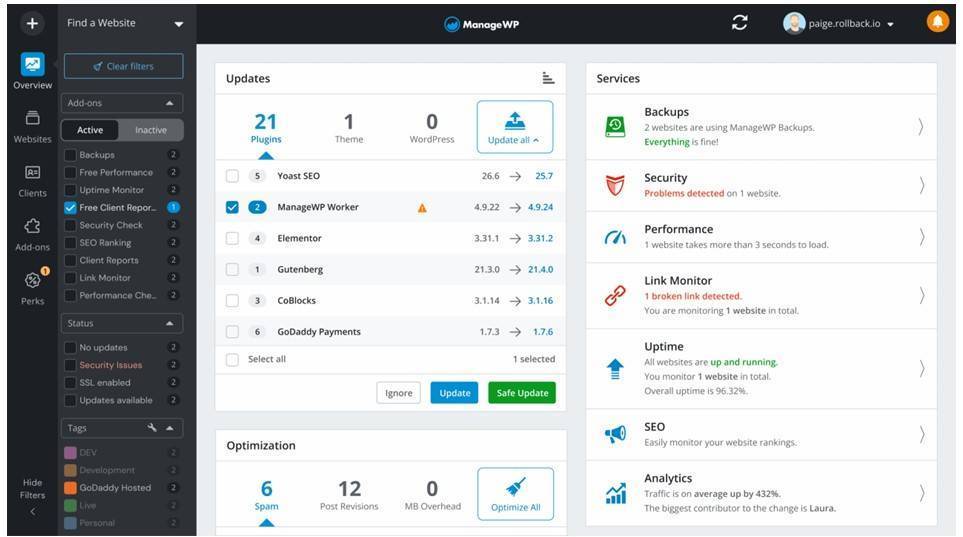
When you invest in a professional WordPress maintenance plan, you are paying for a comprehensive suite of technical services designed to ensure continuous uptime, optimal performance, and robust security. Below is a clear breakdown of each core component and what it means for your business.
Plugin, Theme & Core Updates
WordPress releases frequent security patches and feature updates for its core software, while third-party developers continuously update themes and plugins. A professional maintenance provider applies these updates safely and often testing on a staging environment first to prevent compatibility conflicts that could break your live site. This is not a simple one-click process; it requires technical verification after every update cycle.
Database Optimization & Data Integrity
Over time, your WordPress database accumulates significant bloat from post revisions, spam comments, orphaned metadata, and transient cache entries. Routine database optimization removes this unnecessary data, ensuring your website queries execute efficiently, reducing page load times, and maintaining data integrity across all records.
Malware Scanning & Removal
Automated, real-time scanning continuously monitors your site’s files and database for malicious code, unauthorized file modifications, and known malware signatures. In the event of an infection, professional maintenance includes immediate malware removal, forensic analysis of the attack vector, and proactive patching to prevent future breaches.
SEO Risks: Malware SEO Cloaking Attacks
One of the most insidious threats to WordPress sites is SEO cloaking – a technique where hackers inject hidden spam links into your website’s code, invisible to you but visible to search engine crawlers. These attacks silently destroy your domain authority, can lead to search engine blacklisting, and severely damage your organic rankings. Proactive malware scanning and security hardening are your primary defenses against this silent threat.
Performance Optimization
Website speed is a direct ranking factor for search engines and a critical driver of conversion rates. Research consistently shows that even a one-second delay in page load time can significantly reduce conversions. Maintenance plans include ongoing performance tuning: image compression and optimization, server-side and browser caching configuration, CSS and JavaScript minification, and database query optimization. This is to ensure your site loads quickly regardless of traffic volume.
Uptime Monitoring
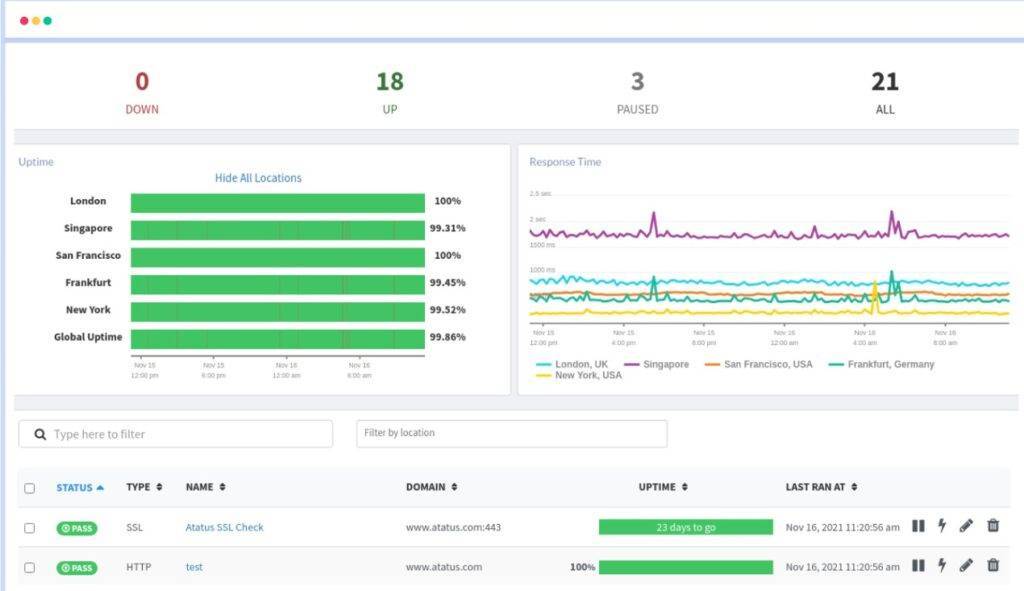
Your maintenance provider continuously monitors your website’s availability, typically checking every 1 to 5 minutes from multiple global locations. If the site becomes unresponsive, automated alerts trigger immediate technical intervention. For businesses operating across different regions, proactive uptime monitoring is essential for maintaining customer trust and revenue continuity.
Backup Systems: Local, Offsite & Real-Time
Reliable backups are your ultimate safety net against data loss. Professional maintenance plans implement layered backup systems, including daily automated backups stored in secure offsite locations and real-time or hourly backups for dynamic websites. These backups are also regularly tested to ensure they can be successfully restored when needed.
Security Hardening
Beyond basic firewalls, advanced security hardening involves a multi-layered defensive approach: blocking known malicious IP addresses and geographic threat sources, implementing Web Application Firewalls (WAF) to filter malicious HTTP traffic, enforcing two-factor authentication on admin accounts, disabling unnecessary file execution permissions, and mitigating Distributed Denial-of-Service (DDoS) attacks before they impact availability.
3. The Role of Hosting and Infrastructure
Website maintenance does not exist in a vacuum; it is deeply intertwined with your hosting infrastructure. Understanding the distinction between hosting and maintenance is vital for business owners who want to make informed investment decisions.
Hosting vs. Maintenance: Understanding the Boundary
Web hosting is the physical or virtual server environment where your website’s files and database reside. Your hosting provider is responsible for ensuring the server hardware is operational, connected to the internet, and protected at the network level. Get Affordable Web Hosting with Hordanso.
Website maintenance, on the other hand, is the active management of the software running on that server. If a plugin conflict crashes your WordPress installation, your hosting provider will simply confirm the server is running; diagnosing and resolving the WordPress application error is the responsibility of your maintenance provider. This distinction is critical. Many businesses only discover this gap during a crisis. Get Your Website Maintenance from Hordanso.
The Cloudflare Protection Layer
Premium maintenance plans often integrate enterprise-grade Content Delivery Networks (CDNs) and Web Application Firewalls (WAFs) such as Cloudflare. This infrastructure layer serves a dual purpose: it caches your content across global edge nodes ensuring fast load times whether your users are in Abuja, Cape Town, or Chicago while simultaneously filtering malicious traffic, bots, and DDoS attacks before they ever reach your origin server.
How Integrated Infrastructure Providers Improve Reliability
Global digital infrastructure providers like Hordanso bridge the critical gap between hosting and maintenance by offering unified, end-to-end solutions. By controlling both the server environment and the WordPress application layer, they can implement server-level caching rules, enforce security configurations at the infrastructure level, and ensure seamless compatibility between the hosting stack and the WordPress application resulting in superior reliability, performance, and overall security.
4. Maintenance Tiers Explained: Finding Your Fit
Professional WordPress maintenance is not a one-size-fits-all service. The right plan depends on your business size, traffic level, how much your revenue depends on your website, and any compliance requirements you may have.
Using Hordanso’s global service structure as a reference, here is how each maintenance tier fits different real-world business needs.
Maintenance Tiers Explained: Finding Your Fit
Professional WordPress maintenance is not a one-size-fits-all service. The right plan depends on your business size, traffic volume, revenue dependency, and compliance requirements.
Using Hordanso’s global service structure as a reference framework, here is how each tier maps to real business scenarios.
Essential Shield – Basic Maintenance ($49/₦29,000/490.00ZAR/month)
Scenario
You run a boutique consulting firm, a local restaurant, or a small professional services business. Your website mainly serves as an informational hub. It does not handle complex transactions or large volumes of sensitive customer data.
What You Get
- Weekly updates for WordPress core, themes, and plugins
- Daily off-site backups with 30-day retention
- Basic malware scanning and firewall setup
- Uptime monitoring every 5 minutes
- Monthly maintenance reports
- Email support with a 24 – 48 hour response time
Value
This tier provides peace of mind for small businesses. It keeps your website secure and functional without the complexity or cost of enterprise features. It forms the foundation of responsible website ownership.
Best For
Small business websites, professional blogs, informational sites, and early-stage startups.
Pro Guardian – Advanced Maintenance + Performance ($99/₦59,000/990.00ZAR/month)
Scenario
You run a growing B2B agency, a mid-sized WooCommerce store, or a service-based business with online bookings. Your website directly generates revenue, and downtime or slow performance leads to immediate losses.
What You Get
- Daily updates for WordPress core, themes, and plugins
- Daily off-site backups with 30-day retention
- Real-time malware scanning with automatic removal
- Database cleanup and caching optimization for faster performance
- Quarterly backup restore testing
- Priority support with a 12-hour response time
Value
This is the ideal tier for growing businesses. It improves performance, supports conversions, and ensures faster issue resolution. It includes everything in Essential Shield, plus advanced optimization and faster support.
Best For
Growing agencies, eCommerce stores, SaaS platforms, booking systems, and revenue-generating websites.
Elite Audit – Enterprise Security, Compliance & Audits ($199/₦119,000/1990.00ZAR/month)
Scenario
You operate an enterprise company, fintech platform, healthcare service, or high-volume global eCommerce brand. You handle sensitive customer data and must comply with strict regulatory requirements across multiple regions.
What You Get
- Hourly real-time backups for critical systems
- Advanced security hardening with DDoS protection and IP blocking
- Real-time malware detection and removal
- Bi-annual security and performance audits
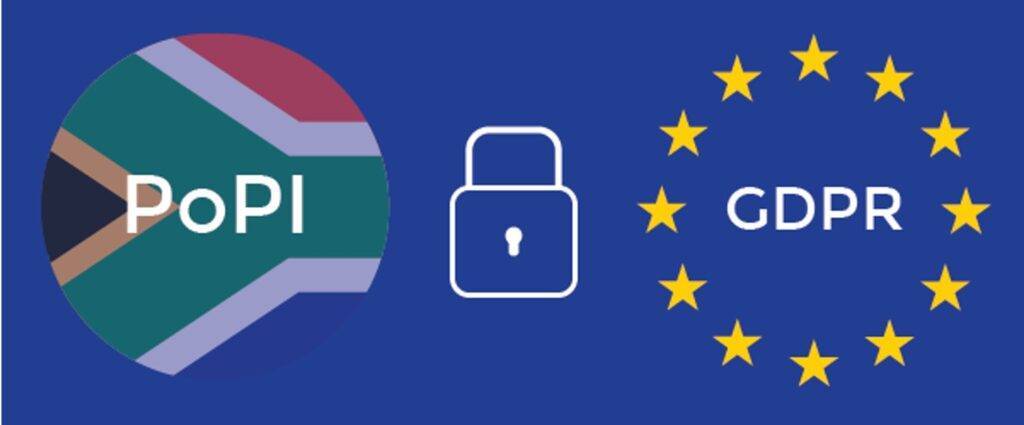
- Compliance support for NDPR, POPIA, and GDPR
- Dedicated account manager
- Priority support with a 4-hour response time
- Includes all Pro Guardian features
Value
This tier is a full technical partnership. It is designed to reduce enterprise-level risks, ensure regulatory compliance, and maintain maximum uptime and performance under heavy traffic loads.
Best For
Enterprise organizations, fintech platforms, healthcare systems, high-traffic eCommerce sites, and compliance-driven businesses.
Full Feature Comparison
| Feature | Essential Shield | Pro Guardian | Elite Audit |
|---|---|---|---|
| Target Audience | Small Businesses | Growing Agencies | Enterprise |
| Monthly Price | From $49 | From $99 | From $199 |
| Core/Plugin Updates | Weekly | Daily | Daily |
| Backups | Daily off-site (30-day) | Daily off-site (30-day) | Real-time hourly |
| Backup Restore Testing | – | Quarterly | Quarterly |
| Uptime Monitoring | 5-minute intervals | 1-minute intervals | 1-minute intervals |
| Malware Scanning | Basic | Real-time + auto-removal | Real-time + auto-removal |
| Security Hardening | Basic firewall | Advanced | Advanced + DDoS/IP blocking |
| Performance Optimization | – | DB cleanup + caching | Full audit + optimization |
| Compliance Support | – | – | NDPR / POPIA / GDPR |
| Security Audit | – | – | Bi-annual |
| Account Manager | – | – | Dedicated |
| Support Response | 24 – 48 hours | 12 hours | 4 hours |
5. Global Data Compliance: Navigating NDPR, POPIA & GDPR
For modern businesses, website maintenance is no longer just a technical task. It is closely connected to legal compliance. If your WordPress site collects user data through contact forms, analytics tools, payment systems, or eCommerce checkout pages, you are required to follow regional data protection laws.
Premium maintenance plans help ensure your website infrastructure supports these legal requirements consistently.
NDPR – Nigeria Data Protection Regulation
The Nigeria Data Protection Regulation (NDPR), enforced by the National Information Technology Development Agency (NITDA), sets strict rules for how personal data of Nigerian citizens is collected, stored, and processed.
For WordPress websites, compliance typically requires:
- Secure data transmission using SSL/TLS encryption
- Strong firewalls to prevent unauthorized access
- Regular security audits
- A documented data breach response plan
A proper maintenance plan helps support NDPR compliance by ensuring these protections are always active and up to date.
POPIA – Protection of Personal Information Act (South Africa)
POPIA requires organizations in South Africa to apply appropriate technical and organizational measures to protect personal information from loss, damage, or unlawful access.
A professional WordPress maintenance service supports POPIA compliance through:
- Continuous security updates and patching
- Real-time malware detection and removal
- Secure, encrypted backup systems
- Documented security audit trails
For South African businesses, non-compliance can result in fines of up to R10 million or even imprisonment for responsible individuals.
GDPR – General Data Protection Regulation (Global Relevance)
The GDPR is a European Union regulation, but it applies globally to any business that processes the personal data of EU residents, regardless of where the business is located.
For businesses in regions such as Nigeria, South Africa, or the United States, GDPR compliance may require:
- Strong data privacy and protection controls
- Clear and explicit user consent mechanisms
- The ability to report data breaches within 72 hours
- Systems that support the right to data deletion (“right to be forgotten”)
Higher-tier maintenance plans typically provide the security hardening, audits, and technical infrastructure needed to support GDPR compliance and reduce legal risk.
6. What is NOT Included in Maintenance
To build a strong, long-term relationship with your technical partner and avoid misunderstandings, it is important to clearly understand what standard WordPress maintenance plans do not cover.
Maintenance focuses on keeping your existing website stable, secure, and updated. It is not a full development or marketing service.
Website Redesign
Maintenance ensures your current website design continues to function properly. It does not include:
- Complete redesigns
- Branding changes
- Layout restructuring
- Full UI/UX rebuilds
- Navigation re-architecture
These types of changes require a separate web design and development project with dedicated planning and billing.
SEO & Marketing Campaigns
Maintenance supports technical SEO foundations such as site speed, uptime, and security, which are important ranking factors.
However, it does not include:
- Keyword research
- Content SEO optimization
- Link building
- Google Ads or paid advertising management
- Ongoing digital marketing strategy
These services belong to separate SEO and marketing disciplines.
Content Writing
Creating or managing content is not part of standard maintenance. This includes:
- Writing new blog posts
- Editing or updating website copy
- Product description writing
- Image sourcing or content creation
Some providers may offer content services as add-ons, but they are not included in basic maintenance plans.
New Feature Development
Maintenance is focused on keeping existing functionality stable, not building new features.
It does not include:
- Membership systems
- Custom calculators or tools
- Third-party API integrations
- New payment gateways
- Custom plugin or feature development
These require dedicated development work and project-based pricing.
7. Real-World Risk Scenarios: What Happens Without Maintenance?
Choosing not to maintain a WordPress website is a serious risk to business continuity, reputation, and legal compliance.
Website Hacking Incidents
Outdated plugins or themes with known vulnerabilities can be exploited by automated bots scanning the internet.
Without active monitoring, a compromised site can:
- Leak customer data
- Redirect visitors to malicious pages
- Send spam from your server
- Get blacklisted by search engines
This can also lead to legal exposure under regulations such as NDPR, POPIA, or GDPR.
Plugin Conflicts Breaking Websites
WordPress relies on multiple plugins and themes working together. When updates are not tested properly, conflicts can occur, leading to:
- Broken layouts
- Errors or crashes
- The “White Screen of Death”
Without staging and testing, these issues can take your website offline unexpectedly.
Failed Updates Causing Downtime
Core WordPress updates can sometimes fail due to server issues or interruptions.
This may leave the site stuck in maintenance mode or partially broken. Without technical support, downtime can last hours or even days, directly affecting business operations.
Data Loss Without Reliable Backups
If a server fails, a cyberattack occurs, or data is accidentally deleted, backups are the only recovery option.
However, if backups are:
- Stored on the same server
- Not regularly tested
- Corrupted or incomplete
Then recovery may be impossible, resulting in permanent data loss.
8. Why Cheap Maintenance Services Fail
Very low-cost maintenance services often look attractive, but they usually come with serious limitations.
No Human Oversight
Automated updates are applied without testing, which can break websites and require expensive emergency fixes.
Poor Backup Systems
Some providers store backups on the same server, meaning both the site and backups can be lost together.
No Staging Environment
Updates are applied directly to live websites, increasing the risk of downtime and errors.
Slow Emergency Response
Low-cost services often lack the resources to respond quickly during critical downtime, especially during high-traffic periods.
No Compliance Knowledge
Many budget providers do not understand NDPR, POPIA, or GDPR requirements, leaving businesses exposed to regulatory risks and penalties.
9. How to Choose the Right Plan: A Decision Framework
Selecting the right WordPress maintenance tier depends on your business needs, not just price. To make the right decision, evaluate your situation across four key dimensions.
Decision Framework
| Dimension | Essential Shield | Pro Guardian | Elite Audit |
|---|---|---|---|
| Business Size | Solo / small business (1-10 staff) | SME / growing agency (10–100 staff) | Enterprise (100+ staff) |
| Monthly Website Traffic | Under 5,000 visitors/month | 5,000–50,000 visitors/month | 50,000+ visitors/month |
| Revenue Impact of 4-Hour Downtime | Minimal (under $500 impact) | Moderate ($500–$5,000 impact) | Critical (over $5,000 impact) |
| Data Compliance Requirements | Basic | NDPR / POPIA / GDPR awareness needed | Full compliance required |
| Internal Technical Capability | Some technical ability | Limited technical staff | Dedicated IT team required |
Recommended Plan Selection
Essential Shield – $49/month
Best suited for small businesses and individuals who need reliable maintenance without complexity.
Ideal when traffic is low and downtime has minimal financial impact.
Pro Guardian – $99/month
Designed for growing businesses where the website directly affects revenue.
This is the best balance between performance, protection, and cost efficiency.
Elite Audit – $199/month
Built for enterprise-level organizations with high traffic, strict compliance requirements, and significant financial exposure from downtime.
This tier is essential when uptime, security, and regulatory compliance are mission-critical.
Simple Rule of Thumb
- If your website is informational → Essential Shield
- If your website generates consistent revenue → Pro Guardian
- If your website is mission-critical or regulated → Elite Audit
10. Conclusion: Maintenance as a Business Investment, Not a Cost
Your WordPress website is a critical business asset that runs 24/7, 365 days a year, serving users across locations like Lagos, Johannesburg, New York, and beyond.
Just like you would not buy a commercial vehicle and ignore routine servicing, you cannot run a business website without ongoing technical maintenance.
Professional WordPress maintenance plans – whether it is the foundational security of Essential Shield, the performance optimization of Pro Guardian, or the advanced compliance and audit coverage of Elite Audit – should not be seen as simple operational expenses.
They are strategic investments in:
- Your brand reliability
- Your customers’ security
- Your website performance
- Your long-term business growth
In the global digital economy, uptime, security, and compliance directly affect revenue and reputation.
The real question is not whether you can afford professional WordPress maintenance, but whether you can afford the risks of operating without it.
Ready to protect your WordPress website?
Explore Hordanso’s WordPress Maintenance & Audit Plans at hordanso.net – Essential Shield, Pro Guardian, and Elite Audit plans designed for businesses in Nigeria, South Africa, and the United States.
11. Frequently Asked Questions
The following questions represent the most common concerns from business owners evaluating WordPress maintenance services across Nigeria, South Africa, and the United States.
Q1: Do I need maintenance if I use Managed WordPress Hosting?
Yes. Managed WordPress hosting typically handles server-level optimization and automatic core updates, but it does not replace professional maintenance.
Maintenance adds:
- Plugin compatibility checks
- Performance tuning
- Real-time malware removal
- Compliance support
- Human technical oversight
Hosting and maintenance are complementary services, not substitutes.
Q2: How often are backups really necessary for my website?
It depends on how often your data changes.
- Static websites: Daily offsite backups are usually enough
- Active eCommerce or membership sites: Hourly or real-time backups are essential
The more transactions and updates your site processes, the more critical frequent backups become.
Q3: Can I just update plugins myself to save money?
Yes, but it comes with risk.
Updating plugins on a live site can cause:
- Theme conflicts
- Plugin incompatibilities
- Site crashes
Professional maintenance reduces this risk by using staging environments to test updates before applying them to the live site.
Q4: What is the difference between a Web Application Firewall and malware scanning?
They serve different purposes:
- A Web Application Firewall (WAF) prevents malicious traffic from reaching your site in the first place
- Malware scanning detects harmful code already inside your website files or database
Professional maintenance uses both for layered protection.
Q5: Does website maintenance improve my Google search rankings?
Yes, indirectly but significantly.
Maintenance supports SEO by:
- Improving site speed
- Ensuring high uptime
- Preventing malware-related blacklisting
- Maintaining clean technical SEO foundations
These factors help protect and strengthen your search visibility over time.
Q6: What happens if my site gets hacked while on a maintenance plan?
With professional plans such as Pro Guardian or Elite Audit, response is immediate.
Typical response includes:
- Automatic breach detection alerts
- Isolation of infected files
- Removal of malicious code
- Restoration from a clean backup if needed
- Patching the vulnerability
- Strengthening security to prevent recurrence
In many cases, issues are resolved before users notice any disruption.
Q7: Is WordPress maintenance relevant for Nigerian and South African businesses specifically?
Yes, very much so.
Businesses in these regions must consider:
- NDPR (Nigeria Data Protection Regulation)
- POPIA (Protection of Personal Information Act, South Africa)
Maintenance helps meet these requirements through:
- Security patching
- Encrypted backups
- Audit trails
- Continuous monitoring
It also helps address infrastructure challenges by improving uptime and performance reliability.
Q8: How do I know if I am paying too much for maintenance?
Evaluate your provider based on these key factors:
- Are updates tested on a staging environment?
- Are backups stored offsite and regularly tested?
- Is uptime actively monitored with alerts?
- Is there a clear emergency response time?
If any of these are missing, you may be paying for a service that does not offer real protection.
About Hordanso.net
Hordanso is a global digital infrastructure provider offering managed web hosting, VPS solutions, business automation, and professional WordPress maintenance services across Nigeria, South Africa, and the United States.
Our WordPress Maintenance & Audit plans – Essential Shield, Pro Guardian, and Elite Audit are designed to provide businesses of all sizes with enterprise-grade protection, performance, and compliance support at accessible price points.
Website: hordanso.net
Plans: https://clients.hordanso.net/store/wordpress-maintenance-and-audit