
Web Hosting
cPanel and Softaculous Explained: What You Can Actually Install With One Click
Somewhere along the way, “you’ll get cPanel access” became a phrase hosting companies say assuming everyone already knows what it means. Most people don’t, and nobody explains it properly before you’re staring at a dashboard full of icons wondering where your actual website is.
cPanel and Softaculous Are Two Different Things, Working Together
cPanel is the control panel itself, the dashboard where you manage your hosting account. Email addresses, file storage, domain settings, security, databases, all of it lives inside cPanel. Softaculous is a separate tool installed inside cPanel that handles one specific job extremely well, installing actual software onto your hosting account without touching a single line of code.
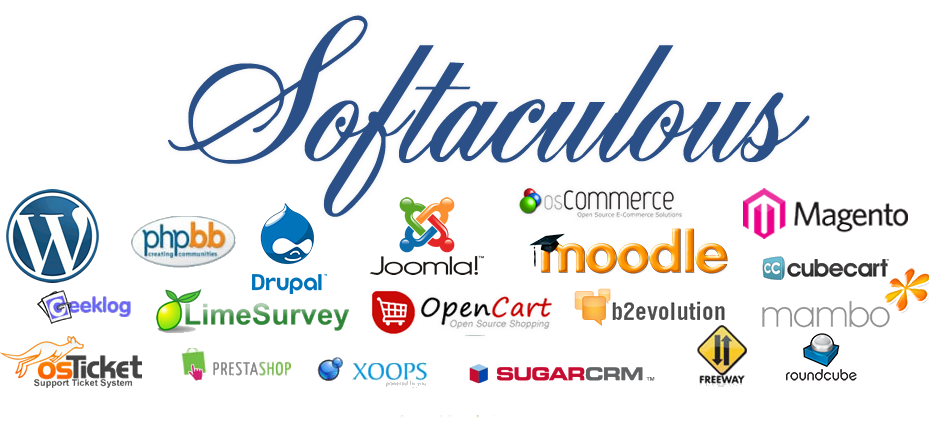
What Softaculous Actually Lets You Install
- WordPress, the most common starting point, a blog, a business site, a portfolio, ready in a few clicks with no manual file uploads.
- WooCommerce, for turning that WordPress site into an actual online store, product listings, checkout, and payment integration included.
- Joomla and Drupal, alternative content management systems for teams who prefer a different structure than WordPress offers.
- Forums and community tools, like phpBB, for businesses building a dedicated space for customer discussion rather than relying only on social media.
- Project and business tools, various CRM, helpdesk, and internal tools that would otherwise require manual server setup to run.
| Manual Installation | Softaculous Installation |
|---|---|
| Requires downloading files, uploading via FTP, creating a database manually | Select the app, fill in a short form, click install |
| Easy to make a configuration mistake | Configuration handled automatically, correctly, every time |
| Can take 30 minutes or more for a first attempt | Typically done in under five minutes |
| Some technical comfort genuinely required | No coding or server knowledge needed |
Quick Self-Check: Will This Actually Save You Time?
Answer honestly. If most of these are “Yes,” Softaculous is solving a real problem for you, not just a convenience.
| Question | ✓ Yes | ✕ No |
|---|---|---|
| Have you ever put off launching a website because the setup felt too technical? | ✓ | ✕ |
| Do you want to test a platform like WordPress or WooCommerce without paying a developer first? | ✓ | ✕ |
| Do you manage more than one site and want a faster way to set each one up? | ✓ | ✕ |
| Have you avoided manual FTP uploads because a past attempt went wrong? | ✓ | ✕ |
What Usually Goes Wrong Without It
- Someone decides to install WordPress manually to save time or “learn how it works”
- A database connection detail gets typed incorrectly, or a file permission is set wrong
- The site either shows a blank white screen or an error nobody can immediately explain
- What should have taken twenty minutes turns into an afternoon of searching forums for the exact error message
What cPanel Handles Beyond Just Installing Apps
Softaculous gets the spotlight because it is the most visible, most immediately useful feature, but cPanel itself manages everything else running quietly underneath a website: email account creation, file storage, domain and subdomain management, and security settings. Softaculous is the fast, guided front door. cPanel is the full house behind it.
Not sure what you’d actually need cPanel for?
Talk to Our TeamFrequently Asked Questions
Yes. cPanel with Softaculous is included on Hordanso’s Starter, Pro, and Developer hosting plans, giving direct access to install and manage websites without needing separate software.
No. Softaculous is specifically built so that installing software like WordPress requires no coding or server administration knowledge, filling out a short form is the entire process.
Yes, multiple applications can be installed across different domains or subdomains on the same hosting account, subject to the storage and resource limits of the hosting plan in use.
cPanel is the overall hosting control panel, managing email, files, domains, and security. Softaculous is a specific tool inside cPanel dedicated to one-click software installation, such as WordPress or WooCommerce.
Yes. A site installed through Softaculous uses standard software, such as regular WordPress, so it can be exported and migrated the same way any other website built on that platform would be.


