
WordPress Security & Maintenance
PHP2Shell: Critical PHP Vulnerabilities (CVE-2026-109618 & CVE-2026-109619) and What They Mean for Your WordPress and WHMCS Sites
On 21 October 2026, the PHP project released emergency security updates for two critical flaws that can let an attacker run commands on your server without logging in. If your website runs on WordPress, WHMCS, Laravel, Joomla, Magento or any other PHP application, this affects you, even if your software is fully up to date.
This guide explains what happened in plain language, what you need to do right now, and how Hordanso’s WordPress Maintenance service keeps your site patched so you never have to chase these updates yourself.
The Short Version
- Two critical vulnerabilities, CVE-2026-109618 and CVE-2026-109619 (nicknamed “php2shell”), were found in PHP itself, not in WordPress or any single plugin.
- They can allow unauthenticated remote code execution (RCE). An attacker does not need a username or password.
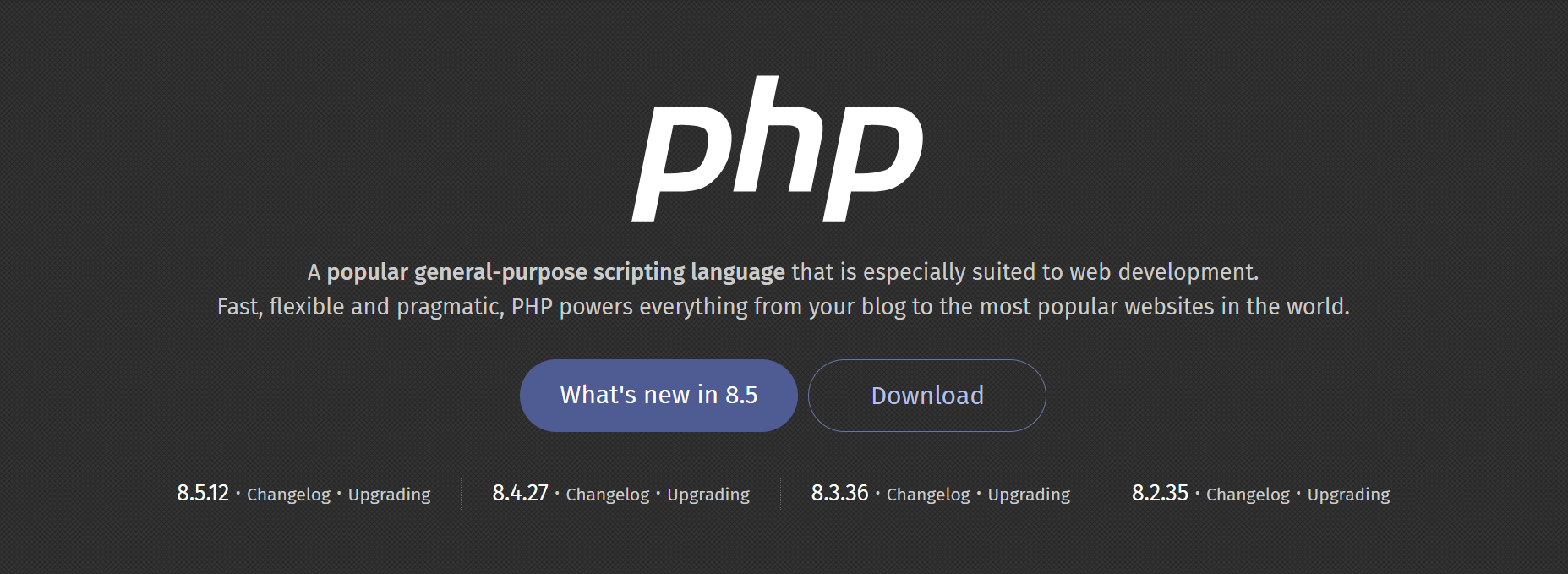
- Fixed versions are PHP 8.5.12, 8.4.27, 8.3.36 and 8.2.35, released 21 October 2026.
- Updating WordPress, WHMCS or your plugins does not fix this. The fix lives at the server level, where PHP is installed.
- Sites on PHP 8.1 or older receive no official fix and need a vendor backport or an upgrade.
What Is PHP, and Why Does This Matter?
PHP is the programming language that powers a huge share of the web. WordPress is built on it. So are WHMCS (the billing and client management system used by hosting companies), Laravel, Joomla, Drupal, Magento, PrestaShop, phpBB and thousands of custom business applications.
Because PHP sits underneath all of these, a flaw in PHP is a flaw in every site running on it. A fully patched WordPress install on an unpatched PHP is still exposed.
What Are CVE-2026-109618 and CVE-2026-109619?
Both were announced in the official PHP security advisory on 21 October 2026.
CVE-2026-109618 is a memory-handling flaw. When PHP runs out of memory while processing a request, it can be interrupted while internal data is only partly set up. PHP’s cleanup then treats that incomplete data as valid, which can be abused to corrupt memory.
CVE-2026-109619 is a stale-state flaw. Request-related internal data can survive after the memory behind it has been freed. A later request handled by the same worker may then use that stale data before PHP resets it.
In simple terms, both bugs let a crafted web request confuse PHP’s internal bookkeeping, and under the right conditions that can be turned into running an attacker’s commands on your server.
Who Is Most at Risk?
PHP’s advisory says all PHP installations that serve web requests are affected, including PHP-FPM, Apache with mod_php, php-cgi, FrankenPHP and LiteSpeed. The risk is considered highest for Apache with mod_php, where a demonstrated exploit can trigger before any application code runs. That means a WordPress security plugin or a login page may not stop it.
A Third Issue to Watch: Session Upload Progress
On 23 October 2026, the PHP team published an informational advisory about a related, unlikely attack route involving the session upload progress feature. It needs an unusual combination of settings and application code, so the full advisory (CVE-2026-115560) will come with the next regular PHP release.
Until then, PHP recommends setting
session.upload_progress.enabled=0. WordPress core does not use
this feature, so turning it off is low risk for most sites.
Why Updating WordPress Is Not Enough
WordPress updates itself, and many people assume that means their site is always safe. But WordPress cannot update the PHP version on your server. That is controlled by your hosting provider or whoever manages your server. If nobody is responsible for it, it simply does not get done.
The same applies to WHMCS, Laravel and every other PHP application. Updating the application does not update the language underneath it.
| Protected site | Exposed site |
|---|---|
| PHP 8.5.12, 8.4.27, 8.3.36 or 8.2.35 | Older PHP builds, or 8.1 and below with no vendor backport |
| Session upload progress turned off at server level | Session upload progress left on by default |
| WordPress 6.8.6, 6.9.5, 7.0.2 or newer | WordPress core behind on security releases |
| Someone clearly responsible for server-level PHP updates | Nobody owns PHP updates, so they never happen |
| Fresh backups and monitoring in place | No recent backup, no alerts if something changes |
Is WordPress Facing Any Other Critical Flaws Right Now?
Yes. Separately from the PHP issue, WordPress core had its own pair of serious flaws in July 2026, known as WP2Shell (CVE-2026-63030 and CVE-2026-60137). Together they can allow unauthenticated takeover of a vulnerable site. The fixed versions are WordPress 6.8.6, 6.9.5 and 7.0.2.
So a healthy WordPress site today needs two things: a patched WordPress core and a patched PHP. Missing either one leaves a door open.
What You Should Do Right Now
-
Find out your PHP version. Ask your host, check your
hosting control panel, or in WordPress go to Tools, Site Health, Info,
Server. With command-line access, run
php -v. - Update PHP to a patched version. Target 8.5.12, 8.4.27, 8.3.36 or 8.2.35. If your host uses distribution packages, confirm the package status, because patches may be backported under older version numbers.
-
Turn off session upload progress. Set
session.upload_progress.enabled=0in php.ini or your PHP-FPM pool settings and restart PHP workers. Do not rely onini_set()or.user.inifor this. - Update WordPress core and plugins. Make sure WordPress is on 6.8.6, 6.9.5, 7.0.2 or newer, and that all plugins and themes are current.
-
If you cannot update immediately, PHP lists partial
measures such as a low
post_max_sizeand request limits at the web server or proxy. These only reduce exposure and do not make a server safe. Treat them as a short-term bridge. -
Back up and monitor. Take a fresh backup before changing
PHP versions, then watch for unusual admin accounts, unknown files in
wp-content, unexpected redirects and spikes in server load.
Not sure who manages PHP on your server, or whether your site is exposed? We will check it for you.
Talk to Us About WordPress MaintenanceWhat About WHMCS and Other PHP Applications?
WHMCS runs on PHP and requires a supported PHP version. If your WHMCS server is on an unpatched PHP, your billing data, client records and API credentials sit behind the same exposure. Before upgrading PHP on a WHMCS server, confirm that your WHMCS version supports the target PHP version and that your ionCube Loader is compatible.
Other PHP applications such as Laravel, Joomla, Drupal, Magento, PrestaShop, custom portals and legacy scripts should be inventoried too. Old internal tools on forgotten servers are often the weakest link.
The End-of-Life Problem
This incident is a reminder of why running old PHP is risky. Here is where each PHP branch stands under the official support policy.
| PHP version | Security support ends | Latest patched release |
|---|---|---|
| 8.5 | 31 December 2029 | 8.5.12 |
| 8.4 | 31 December 2028 | 8.4.27 |
| 8.3 | 31 December 2027 | 8.3.36 |
| 8.2 | 31 December 2026 | 8.2.35 |
| 8.1 and older | Already ended | No official fix (source backports or vendor patches only) |
If you are on 8.2 or older, plan your upgrade now rather than waiting for the next emergency.
How Hordanso Keeps Your Site Safe
Patching PHP, WordPress core, plugins and themes is exactly the kind of work that gets forgotten until something breaks. Our WordPress Maintenance and Website Care service takes it off your plate.
- Server-level PHP version management and security updates
- WordPress core, plugin and theme updates, tested before they go live
- Regular off-site backups and easy restores
- Security monitoring and malware scanning
- Uptime and performance monitoring
- Fast help when something goes wrong
Frequently Asked Questions
They are two critical security flaws in PHP itself, fixed on 21 October 2026. They can allow unauthenticated remote code execution, meaning an attacker may be able to run commands on a vulnerable server without logging in.
If your site runs on an unpatched PHP version, yes. WordPress is not the source of the flaw, but it runs on PHP, so the server underneath it is what needs fixing.
No. WordPress updates its own core, plugins and themes, but it cannot change the PHP version installed on your server. That update must be done by your hosting provider or server administrator.
PHP 8.5.12, 8.4.27, 8.3.36 and 8.2.35. The PHP project also provided minimal source backports for 7.4, 8.0 and 8.1 for people building from source. Many Linux vendors backport fixes to older packages, so check with yours.
In WordPress, go to Tools, then Site Health, then Info, then Server. In cPanel or a similar panel, look for MultiPHP Manager or Select PHP Version. From the command line, run php -v.
Yes, if your WHMCS server runs an unpatched PHP version. Update PHP at the server level, but first confirm your WHMCS version and ionCube Loader support the new PHP version, and test on a staging copy if possible.
The PHP project does not release official updates for these versions. Ask your hosting provider or Linux vendor whether they provide a backported fix, or upgrade to a supported version such as 8.3, 8.4 or 8.5.
It can help, but it is not a complete fix. PHP’s advisory notes that the most serious attack path can run before application code loads, so WordPress security plugins may not catch it. A web application firewall can reduce risk, but patching PHP is the only complete solution.
For most sites, yes. WordPress core does not use it. Only applications that rely on upload progress bars tied to PHP sessions might notice a change. Apply it in your server configuration, then restart PHP.
Warning signs include unknown admin users, unfamiliar files or plugins, unexpected redirects or pop-ups, sudden slowdowns, spam emails sent from your domain, and security warnings from Google. If you suspect a compromise, restore from a clean backup, change all passwords and keys, and get professional help.
It is possible, but a badly handled upgrade can break themes, plugins or billing systems. If you are not comfortable with servers, backups and rollbacks, it is safer to have a maintenance provider do it.
Sites on our maintenance plans get server-level PHP updates and security monitoring as part of the service. See our WordPress Maintenance page or contact us to have your site checked.
Glossary: Terms You Will See in PHP and WordPress Security News
| Term | Meaning |
|---|---|
| CVE | Common Vulnerabilities and Exposures. A unique ID, such as CVE-2026-109618, given to a publicly known security flaw so everyone can refer to the same issue. |
| CVSS | Common Vulnerability Scoring System. A 0 to 10 score of how severe a vulnerability is. Scores of 9.0 and above are critical. |
| RCE | Remote Code Execution. A flaw that lets an attacker run their own commands on your server from afar. |
| Unauthenticated | Requiring no login. An unauthenticated flaw can be exploited by anyone on the internet. |
| Zero-day | A vulnerability that attackers know about or exploit before a patch is available. |
| Exploit | Code or a technique that takes advantage of a vulnerability. |
| PoC | Proof of Concept. A demonstration that a vulnerability can be exploited. Public PoCs make attacks easier, so patching quickly matters. |
| Patch | A software update that fixes a bug or vulnerability. |
| Backport | A fix from a newer version applied to an older version, usually by a Linux vendor, so the old version stays safe without a full upgrade. |
| Bug fixes (active support) | The phase of a PHP version’s life when it receives regular bug fixes and security patches. |
| Security fixes (security support) | The phase after active support, when only critical security issues are fixed and releases happen only when needed. |
| EOL | End of Life. The date after which a software version gets no more updates of any kind, including security fixes. |
| LTS | Long-Term Support. A version supported for longer than usual, often by a vendor, with security patches continuing for years. |
| PHP | A widely used server-side programming language that powers WordPress, WHMCS and many other web applications. |
| PHP-FPM | A common way of running PHP for websites, handling requests through a pool of worker processes. |
| mod_php | A way of running PHP inside the Apache web server itself. It carries the highest risk in this incident. |
| php.ini | The main configuration file for PHP, where settings like memory limits and upload sizes are set. |
| memory_limit | A PHP setting that caps how much memory a script can use. |
| post_max_size | A PHP setting that limits the size of data sent to the server in a request. |
| Session upload progress | A rarely used PHP feature that tracks file upload progress using sessions. It is the confirmed attack route in this advisory. |
| Web server | Software such as Apache, Nginx or LiteSpeed that receives requests from visitors and passes them to PHP. |
| WAF | Web Application Firewall. A filter that blocks suspicious web requests before they reach your site. Helpful, but not a replacement for patching. |
| WordPress core | The main WordPress software, separate from plugins and themes. |
| WP2Shell | The nickname for two critical WordPress core flaws (CVE-2026-63030 and CVE-2026-60137) disclosed in July 2026. |
| WHMCS | A billing, automation and client management platform widely used by web hosting companies. It is built on PHP. |
| ionCube Loader | A PHP extension required to run encoded PHP applications such as WHMCS. It must be compatible with your PHP version. |
| Staging site | A private copy of your website used to test changes, such as a PHP upgrade, before applying them to the live site. |
| Backup | A saved copy of your site’s files and database that lets you restore after a failed update or an attack. |
| Hardening | Tightening server and application settings to reduce the chance of a successful attack. |
| Malware | Malicious software, such as backdoors and web shells, planted on a compromised site. |
| Web shell | A hidden script that gives an attacker remote control over a hacked server. |
Final Thoughts
The php2shell vulnerabilities are a reminder that website security is not only about WordPress or your plugins. It also depends on the PHP version running underneath them, and on someone being responsible for keeping it current.
If you would rather not track advisories, test upgrades and restart servers yourself, let us handle it. Explore Hordanso’s WordPress Maintenance and Website Care service and keep your site secure, fast and online.
Keep your site secure, fast and online with Hordanso.
Get WordPress MaintenanceSources: PHP.net security advisory (21 October 2026) and informational advisory (23 October 2026), PHP release listings, VulnCheck analysis of WP2Shell.


