
Web Hosting
SSD vs NVMe Hosting: What Actually Makes Your Website Load Faster
Every hosting page throws acronyms at you like they’re supposed to mean something on sight. SSD, NVMe, both promise speed, both sound impressive, and neither one tells you what you actually need for the site you’re running right now. So let’s actually answer that.
The Short, Honest Answer First
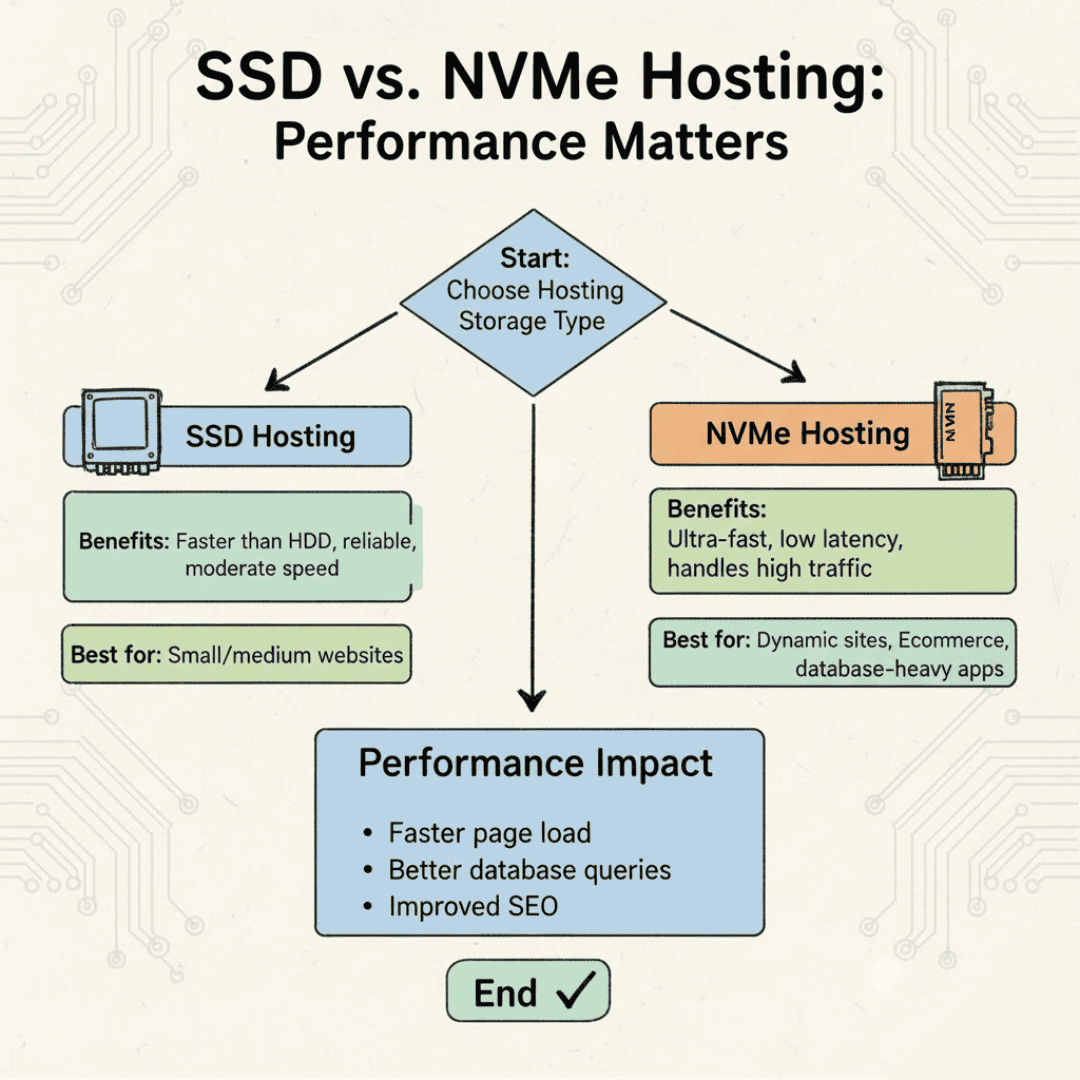
SSD and NVMe are both solid-state storage, meaning both are dramatically faster than the old spinning hard drives most hosting providers finally retired years ago. NVMe is a newer, faster way of connecting that same solid-state storage to a server, cutting the data pathway down so information moves with less delay. For a typical WordPress site, a portfolio, a small store, a business page, the difference between the two rarely shows up as something a visitor would ever notice. Where NVMe earns its price difference is under real, sustained load, not the average page load.
What’s Actually Different Under the Hood
- SSD storage connects through a pathway originally designed for older hard drives. It is still fast, still a massive upgrade over spinning disks, and still what the overwhelming majority of hosted websites run on without issue.
- NVMe storage connects directly to faster internal pathways, cutting out a layer of overhead. According to IBM’s technical comparison of the two protocols, NVMe achieves this largely through parallelism, handling many storage requests at once instead of one at a time, which is where its real advantage comes from.
- The gap narrows the smaller your site is. A five page business website reading a handful of files per visit will not meaningfully feel the difference. A busy database-driven application handling many simultaneous requests will.
| SSD Hosting | NVMe Storage |
|---|---|
| Fast, reliable, the standard for shared hosting today | Faster under heavy, simultaneous load |
| More than sufficient for most WordPress and business sites | Matters most for high-traffic applications and databases |
| Included on Hordanso’s Starter, Pro, and Developer plans | Available on Hordanso’s VPS line, built for workloads that need it |
| The right default choice for a first website | The right upgrade path once traffic genuinely demands it |
Quick Self-Check: Do You Actually Need NVMe Right Now?
Answer honestly. If most of these are “No,” SSD is already doing everything you need.
| Question | ✓ Yes | ✕ No |
|---|---|---|
| Does your site handle a database-heavy application, not just static pages? | ✓ | ✕ |
| Do you regularly see many visitors hitting the site at the exact same time? | ✓ | ✕ |
| Have you already ruled out plugins, images, and caching as the cause of slow load times? | ✓ | ✕ |
| Are you running something closer to an application than a website, think booking systems, dashboards, or real-time tools? | ✓ | ✕ |
Where People Actually Waste Money on This Decision
- A slow site gets blamed on storage speed first, when the real cause is usually unoptimized images, too many plugins, or no caching set up at all
- Someone upgrades to a pricier NVMe-based plan expecting a dramatic change
- The site loads maybe a few hundred milliseconds faster in a lab test, and feels identical to a real visitor
- The actual bottleneck, still sitting untouched in the plugin list, keeps quietly slowing everything down anyway
The Real Question to Ask Before Upgrading
Before paying more for NVMe, it’s worth actually diagnosing why a site feels slow. Run it through a free tool like Google PageSpeed Insights first. More often than not, the fix is a bloated theme, an unoptimized image gallery, or a missing caching plugin, not the storage layer underneath everything. Storage speed matters, but it is rarely the first domino that needs fixing.
Not sure which storage setup actually fits your traffic?
Talk to Our TeamFrequently Asked Questions
In raw technical terms, yes, NVMe offers a faster connection pathway than standard SSD storage. In practical terms for most websites, the difference is rarely noticeable to an actual visitor unless the site is under heavy, simultaneous load.
Usually not on its own. Most WordPress slowness comes from unoptimized images, too many active plugins, or missing caching, not the underlying storage type. Diagnosing the actual cause first is almost always a better first step than upgrading storage.
Hordanso’s Starter, Pro, and Developer shared hosting plans run on SSD storage, fast and reliable for the overwhelming majority of websites. NVMe storage is available specifically on Hordanso’s VPS line, built for workloads that genuinely need it.
Run the site through a free speed testing tool first. If it flags large images, render-blocking scripts, or no caching, those are almost always the real cause, and cheaper to fix than upgrading hosting tiers.
For most small business websites, standard SSD hosting already delivers more than enough speed. NVMe becomes worth the cost once a site is handling genuinely high, simultaneous traffic or database-heavy operations.


